
Our app: your smart travel companion
Track your ride in real time on map, plan your route and get a signal when you need to get off. Our app keeps you informed.
Always check the website or app before you leave. That way you won't be faced with any surprises. That way you travel prepared and carefree.
How does the app work?
With our app, you'll know when your bus or streetcar is coming. So feel free to take some time for yourself before you get to your stop. Also convenient is that you can use it to buy your tickets, plan your ideal itinerary by train, streetcar, metro and/or bus, among other things. And much more!
We update the app at least once a month, so you won't have to wait long for a new feature. Is something going wrong? Let us know and we’ll go live with a solution as soon as possible. In the settings of your smartphone, you can choose whether the app updates automatically or whether you will do this manually. (App Store or Google Play Store)
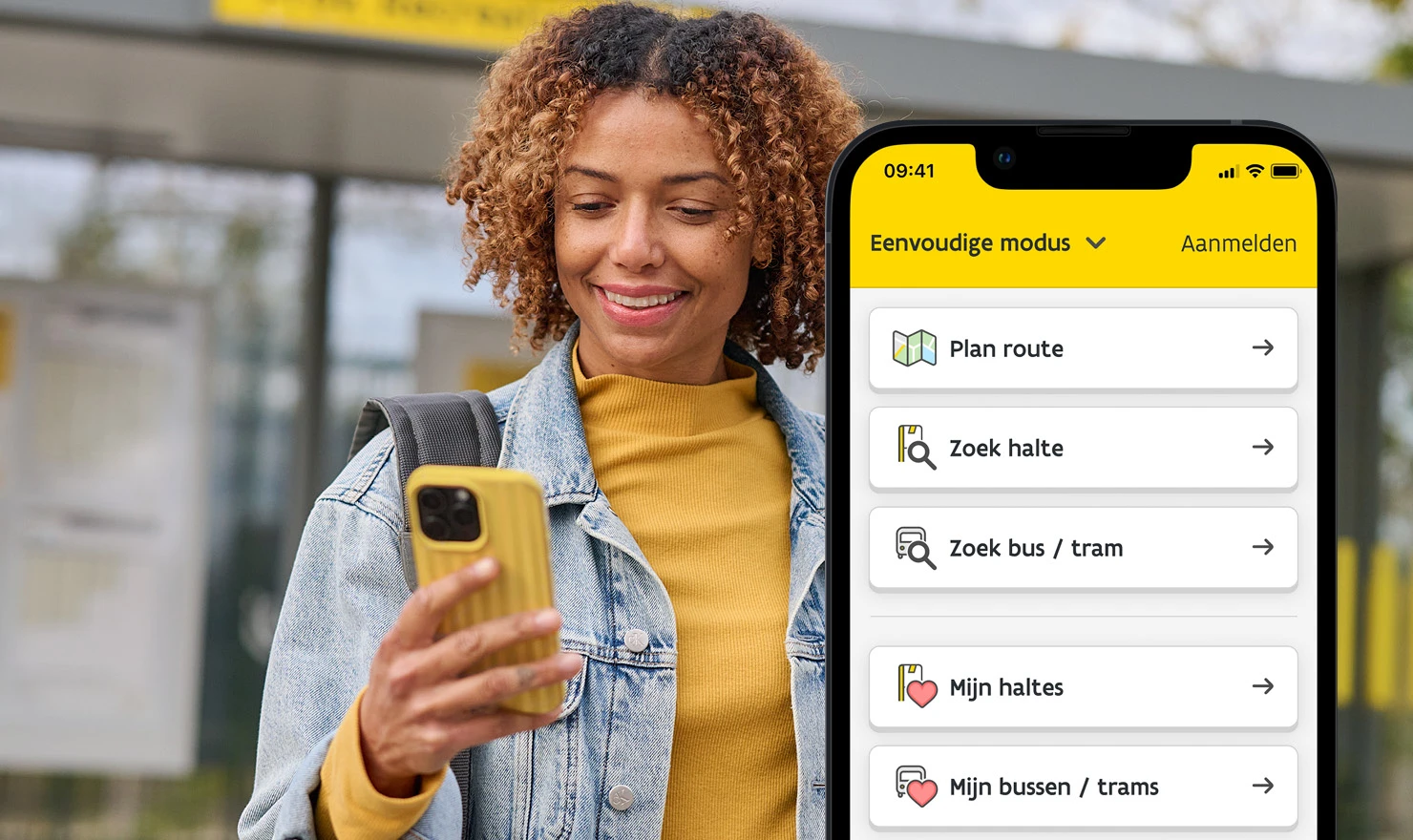
New in the De Lijn app: the simple mode
Everyone has the right to clear travel information. That's why De Lijn is launching the simplified mode in its app. It only shows the most important information: planning routes and searching for stops, but not purchasing tickets. With large buttons and a clear menu, it's ideal for those who are less digitally savvy, visually impaired, older, or speak a different language.
More info
De Lijn app awarded in international benchmark
De Lijn achieved the highest score with its mobile app in the most recent Public Transport Application Benchmark by Sia. In this independent study, 34 public transport apps from 9 countries were evaluated on 64 criteria throughout the entire digital journey: from downloading and starting, through route planning and ticket purchase, to support during the journey and help & contact.
Read the articleDid you know that you can personalize your app's home screen?
First, you need to log in. Then, you will see your favorite stops and favorite lines on the home screen by default. But you can add even more useful things to your home screen, such as your favorite locations and routes. You can also quickly buy and activate a ticket, or as a subscriber, digitally register your boarding.
This is how you personalize your home screen!

Plan your route, buy your ticket
Select your departure and arrival points, your start and arrival times and choose your route via 'Plan'. Buy your ticket via 'Products' > 'Tickets' > 'Buy tickets' and pay easily. Or board digitally – and as a subscriber register every boarding or transfer via the app.

Follow your bus or streetcar on the map
Enter your stop in 'Search' and tap the departure time of your line. You will now see (in real time) your vehicle on map, and below it when it arrives.

Crowd Barometer
Enter your stop or route in the app. Next to the line number, you'll see a tram or bus icon. This was also the case in the past, but is there a green, yellow, or red icon next to it? This indicates how busy your specific ride is at that time.

Digital boarding
Is your bus or tram there? If so, take out the app before you board and go to the 'Register your boarding' section through your searched stops or lines, or via the Products tab. Select your bus or tram and tap on 'Confirm'.

Follow your ride
Go to "More" > "Follow your ride. Turn on your bluetooth and follow in real time the vehicle you are in.

Disembarkation alert
Get a reminder when you need to get off: in the 'follow your ride' feature, tap the bell icon at your disembarkation stop.
Discover all the features in the app and be fully prepared when you travel by bus or tram!

Become a beta tester of the app
Curious about our new features? Test them out yourself quickly. Follow these instructions and download our beta app. Click on the main menu in our app and then on 'more'. Then select 'Become a beta tester'. You can install the beta version of the app here.
Quickly put your smart travel guide in your pocket!
Accessibility

Accessibility
De Lijn works to provide convenient public transport for everyone. To achieve this, we are constantly improving our services and making them uniform for all passengers.

App and web accessibility statement
De Lijn strives to make this app and website accessible to all visitors.
Who can I contact if I have questions or comments about the app
You can provide feedback both in the iOS app (under ‘More’) and in the Android app (via ‘Info’, ‘Feedback’). All feedback is collected, discussed and taken into account when developing a subsequent version.
Send us a message with your questions and/or comments, and feel free to add screenshots. Do remember to leave your email address, as otherwise we won't be able to reply.
Choose your app for your tickets
 with our app or the app of one of our partnersyou are off for an economical ride
How is the app accessible to blind and partially sighted people?
speech technologycustom font sizeAny questions?
How do I plan my route?How do I buy a ticket in the app?Where do I find real-time information?